Setup
Overview
Vish was designed to be easy to use, simple to install, and has everything you need to run your hair color business more efficiently — ultimately saving you time and money!
Before installing Vish, you'll want to make sure you have been give your Salon I.D. and a login by a member of the Vish team.
Vish Dashboard
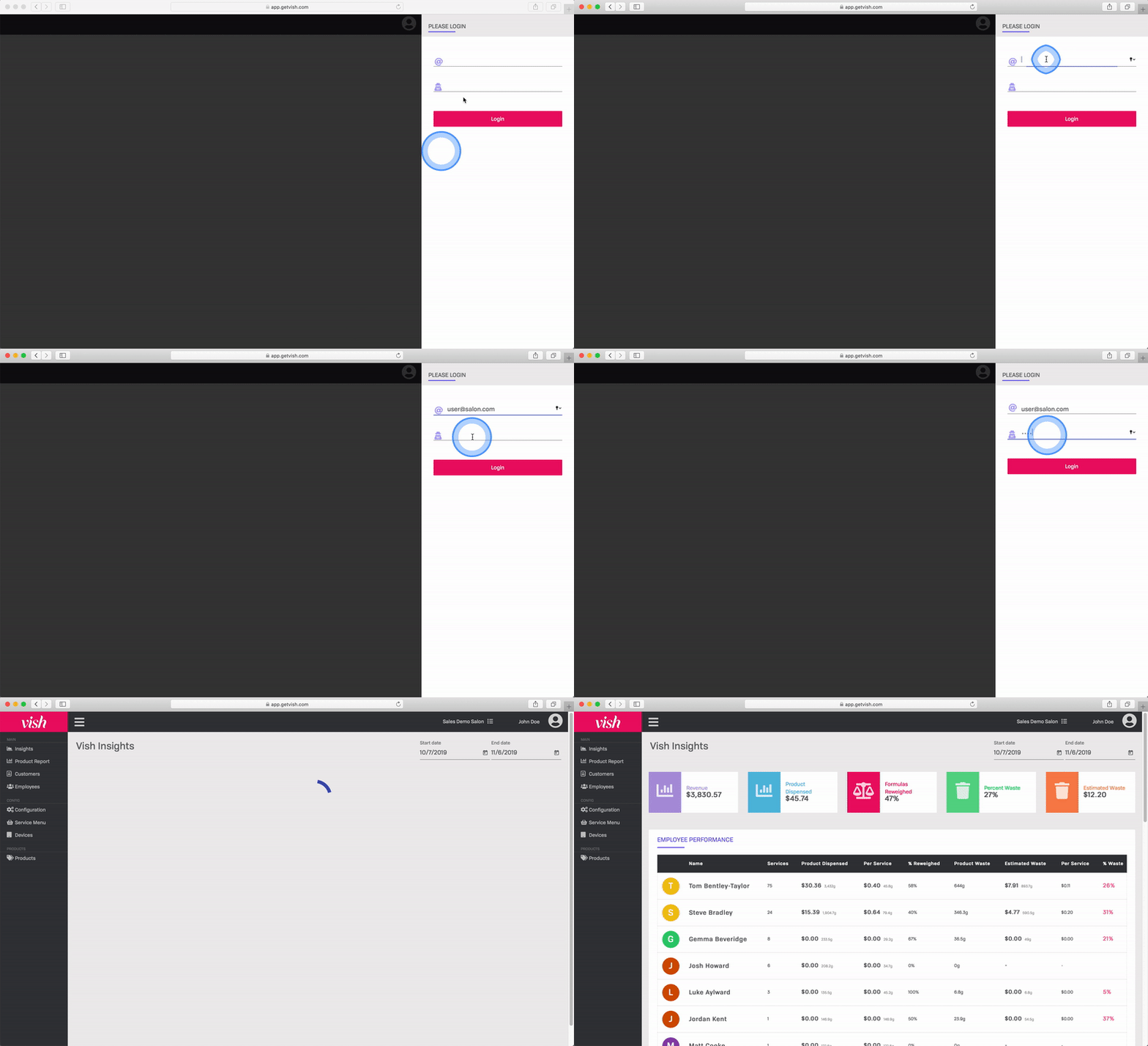
To get started using the Vish Dashboard, visit https://getvish.com and login to your Vish dashboard.
Next, enter your login information and click Login
Vish Color Bar App
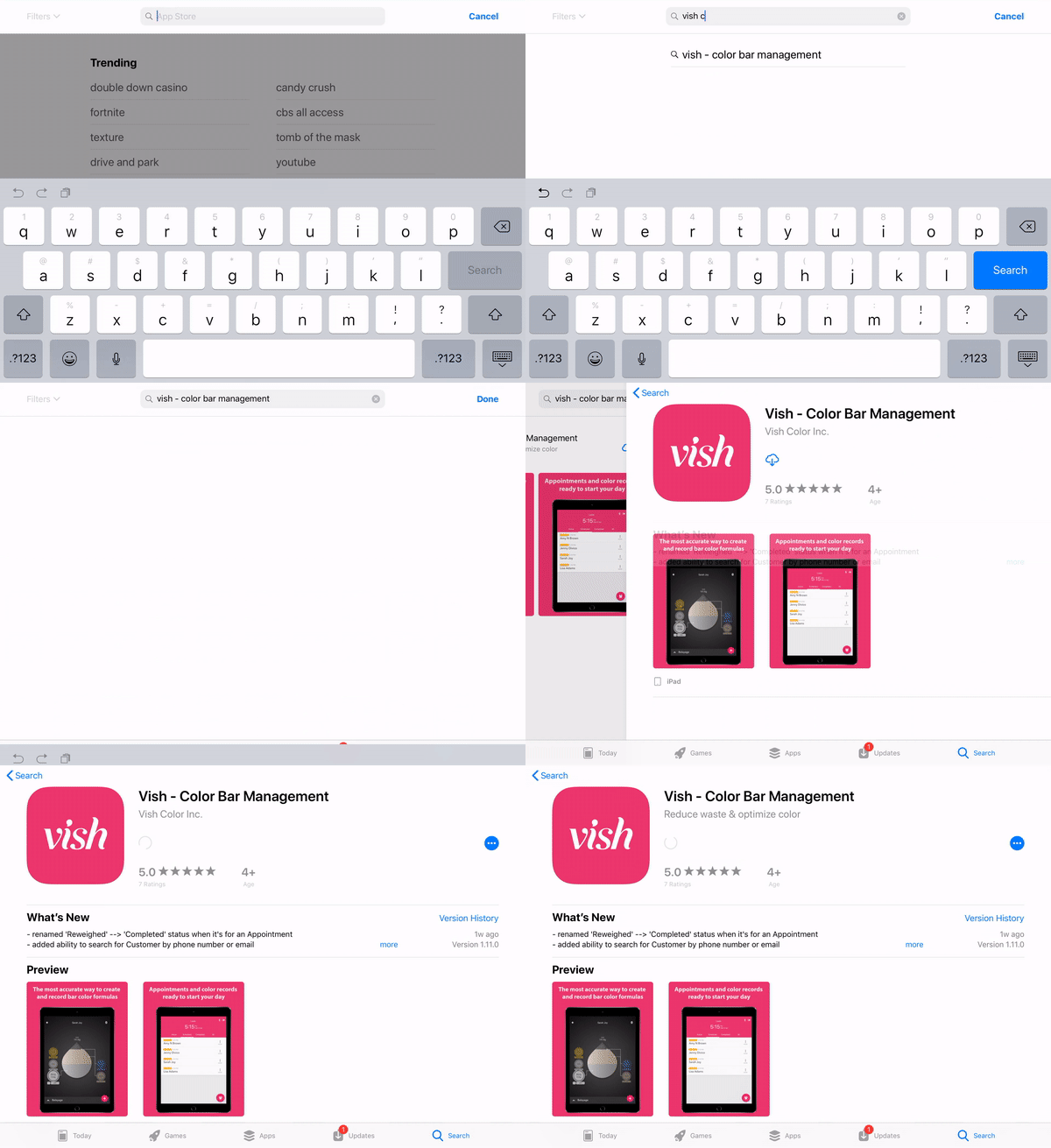
To install Vish on your device, find us by searching 'Vish Color Bar Management' on the iOS App Store or following this link on your iPad: link.
Tap the download button to install Vish.
Vish Front Desk App
Vish Front Desk works on both Windows and Mac.
- Download the appropriate installer package for your platform:
- Once downloaded, double-click the file and follow the instructions to install.
Refer to the Troubleshooting section if you are having issues installing the Front Desk App